E-Commerce by RhiLius Apps
E-Commerce by RhiLius Apps is a project I worked on during my late college to graduation era as part of my exploration in the tech industry which aims to enhance my skills and prepare me for the real-world.
Deployment/Hosted URLs
- Frontend applicationOpen live application
- Backend serviceOpen backend service
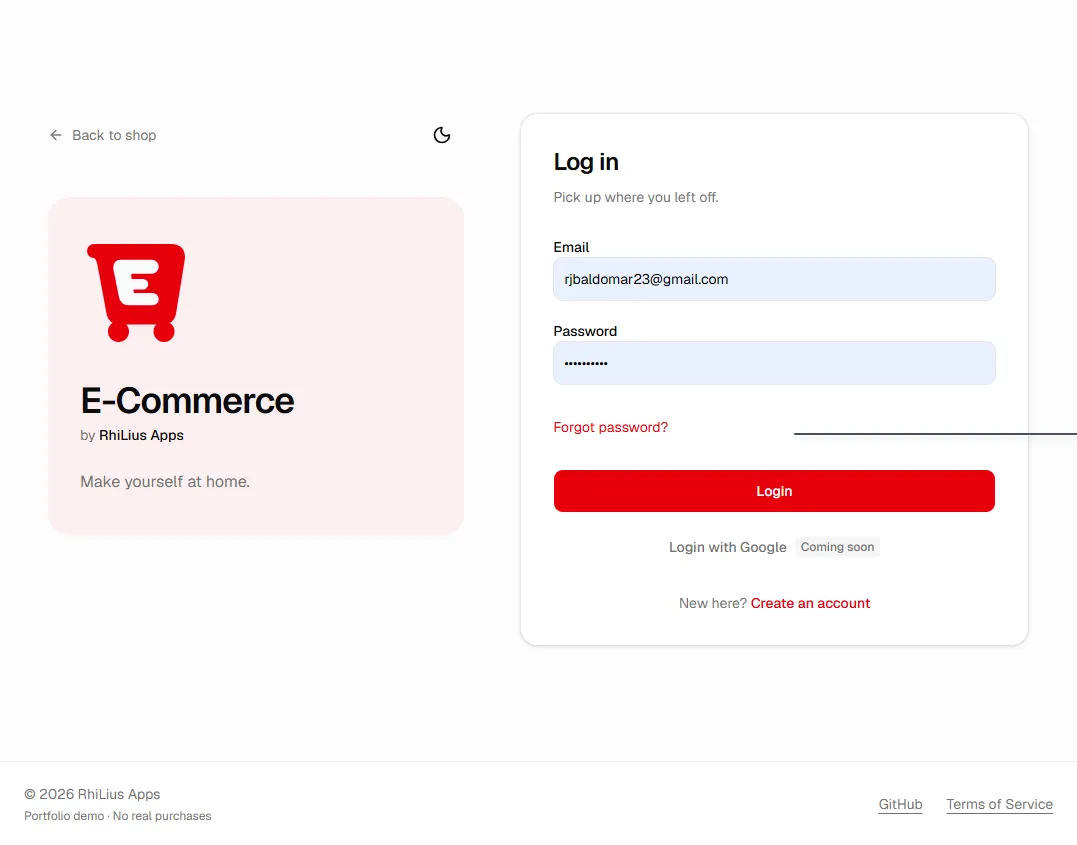

This blog page is only focused on documenting and explaining my subjective point of view regarding my journey with the development of E-Commerce application. Check these repositories’ documentations for more specific and technical infos:
TECHNICAL STUFFS
Deployment
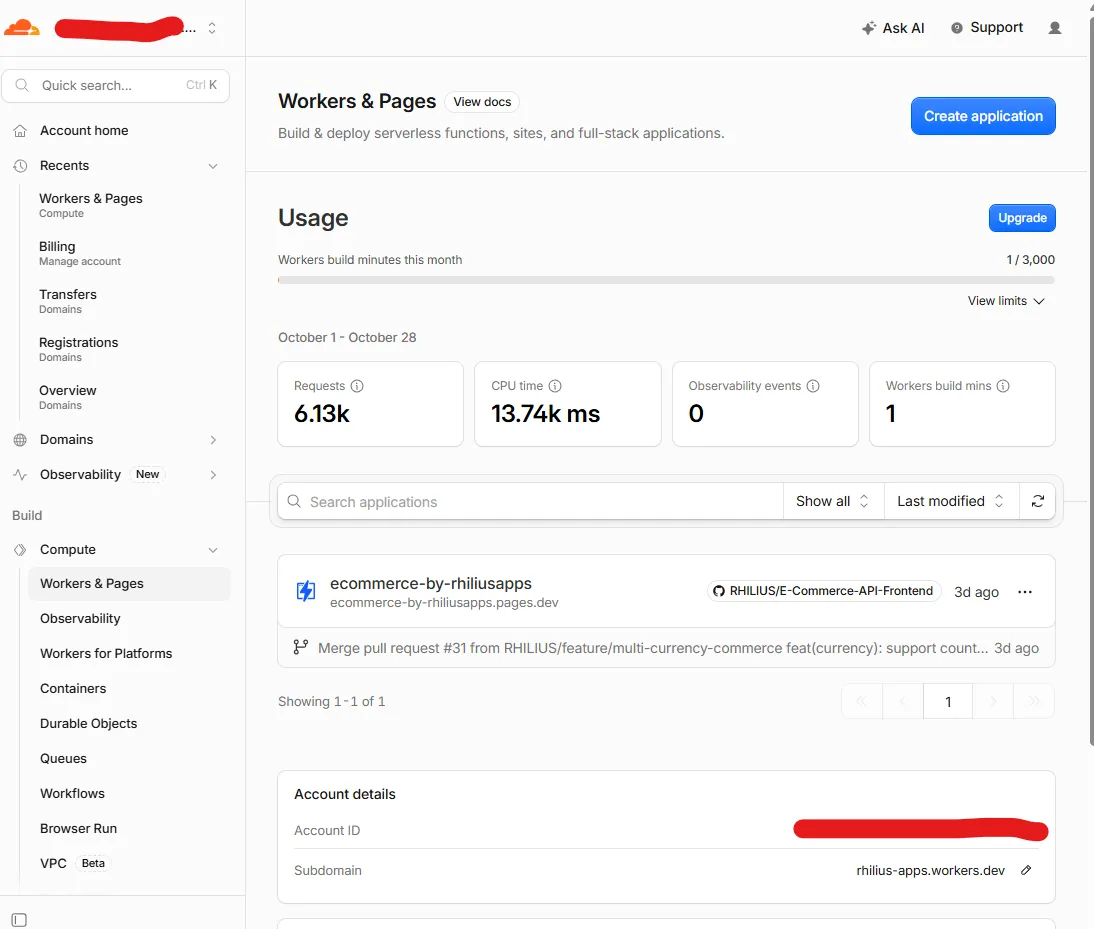
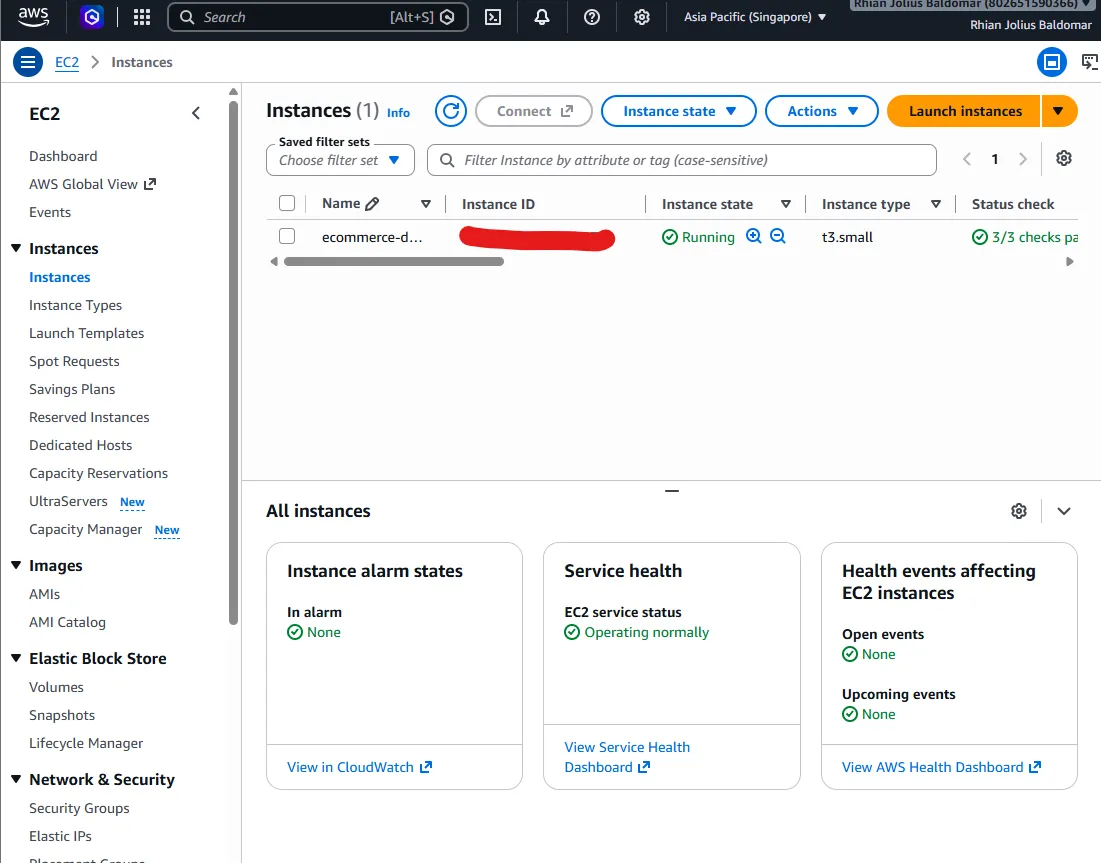
I have deployed the system through Cloudflare and AWS. Cloudflare Pages is for the frontend application, and Amazon's EC2 is for the backend service infrastructure.
I learned a lot about deployment. I realized that there are lots of considerations about it that we won't encounter during development. I thought setting up the development servers was as easy as deployment. I realized that considerations, especially security and networking, are so important.
Not only with these concepts, but also with additional configurations such as setting up the server, installing the dependencies, setting up HTTPS, requesting a certificate, and implementing a scheduler that automatically renews the certificate because, basically, HTTPS certificates expire. These concepts and processes also need an investment of time.
One of the security implementations I learned about was when I tried to set up inbound rules. It's basically about only allowing specific traffic from certain IP addresses to enter through specific critical ports, like SSH, which I did by restricting access to my network's public IP address, making sure that only I can configure and access the virtual machine where the backend services live (of course, since ports 80 and 443 are publicly accessible, we should consider securing those as well by eliminating vulnerabilities separately in the backend application).
I also realized that the deployment setup and configurations take a lot of time and effort. That's why I also considered automating them.
This is how I did it: Deployment Documentation
Internal Tools and Workflow
Throughout the development, I learned to create and utilize tools and workflows that speed up and automate manual tasks I didn't consider back then, which made my development time so long.
Github workflow
Imagine shipping a new feature for deployment and you use a cloud-based virtual machine to host the system, you would have to manually execute the deployment over and over again (of course it works better especially if we use a deployment service provider). Without a proper workflow; we commit the changes, test it, push it or merge it the main branch, access the virtual machine, pull the changes and restart service. That takes a lot of time! That was my honest inefficiency when I haven’t known of a workflow that really helps to automate and speed it up. But suddenly github workflow is introduced to me. A new feature deployment that once took 20 minutes manually can eventually be executed automatically and efficiently for 3 minutes, leaving time for a purposeful development
Check how I did it: GitHub Actions deployment
Automated scripts
I also realized the importance of creating and personalizing automations for manual workflows that have obviously made my development process 10 times faster, or even more. Here are some:
AI Workflow, Automation, and Harness
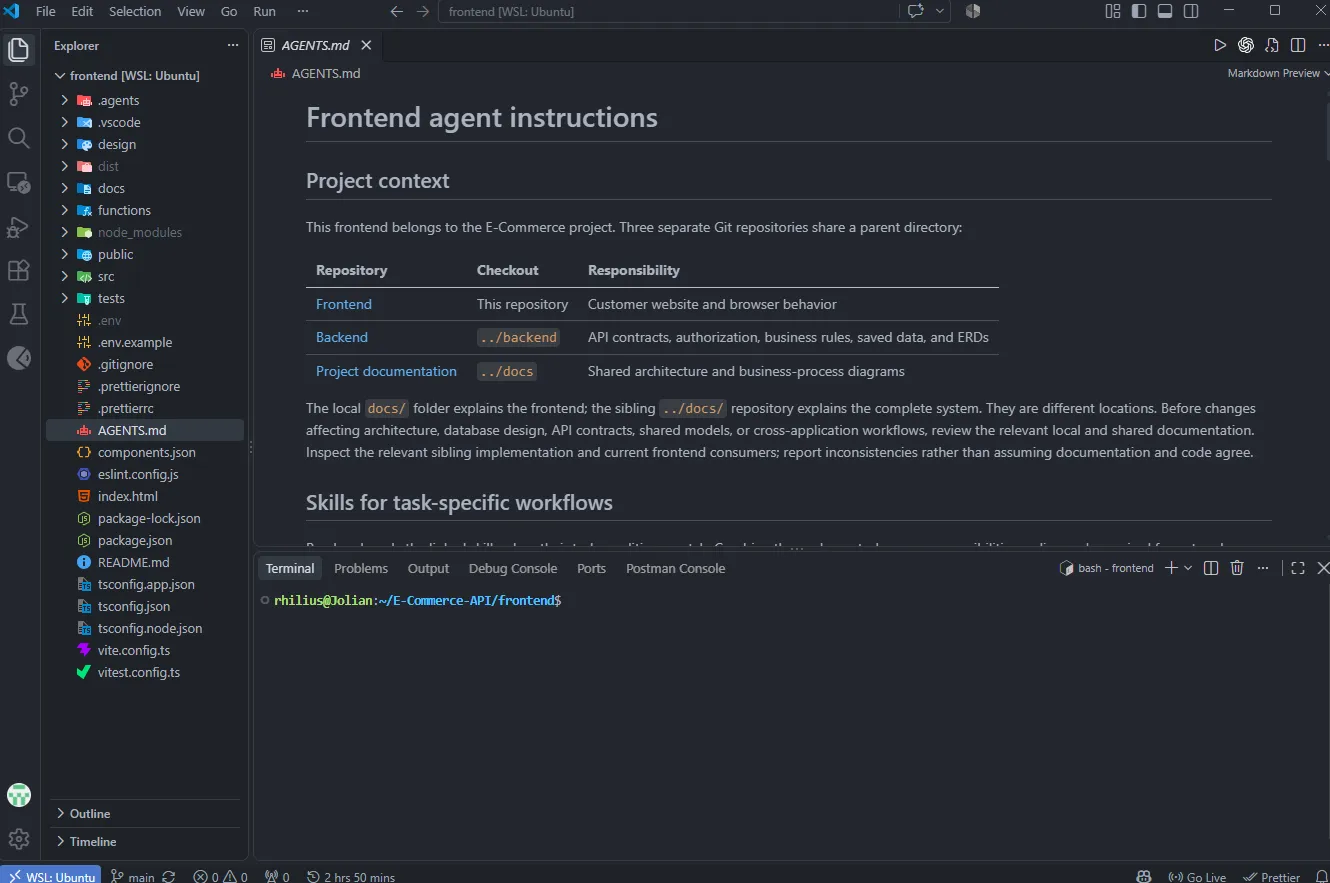
Throughout the development, I realized how important it is to utilize AI securely and consistently. AI can make work faster and more efficient, but it still can't replace the vision and clarity that an engineer must possess.
Without properly utilizing AI agents, they could become overwhelming and make the work inconsistent. That's why I realized that context management is so important.
I have implemented AGENTS.md. It's basically a file that the AI agent pulls into its context window. Every piece of context and information that I once had to repeatedly provide is already there, making the AI agent better and more consistent at providing outputs.
I have also implemented skills alongside AGENTS.md. I utilize skills so I can organize AI workflows and knowledge into separate fragments. I also implement skills so AI can do or learn what I normally and repeatedly do.
One example is drafting an ERD and a flowchart using my own process. I taught the agent by providing instructions and steps to execute, and now the agent can do it consistently and repeatedly instead of me doing it manually (of course, reviewing the outputs is still a must).
Diagramming and Architecture
I think one of the most important thing I’ve learned is to always consider and never skip planning and visualizing the architecture. We might be tempted to do the coding early and continously, and constantly add more features in the long run. But speed will never beat clarity. You can start early and implement features incrementally time after time. Yes you would ship fast but you will pay for it at the end of the day. Visualizing and clearly defining the architecture for me is something that everyone must consider especially when working with a system that you would want to scale and support for a long long time. For me a long cleanly analyzed and well planned architecture is a better fulfillment than speed. Longer and properly cooked fried chicken tastes better than rushed unevenly cooked one.
That’s why I have learned my way of visualizing and planning the architecture with these diagramming framework as part of my development workflow
I. Business Process Model and Notation (BPMN)
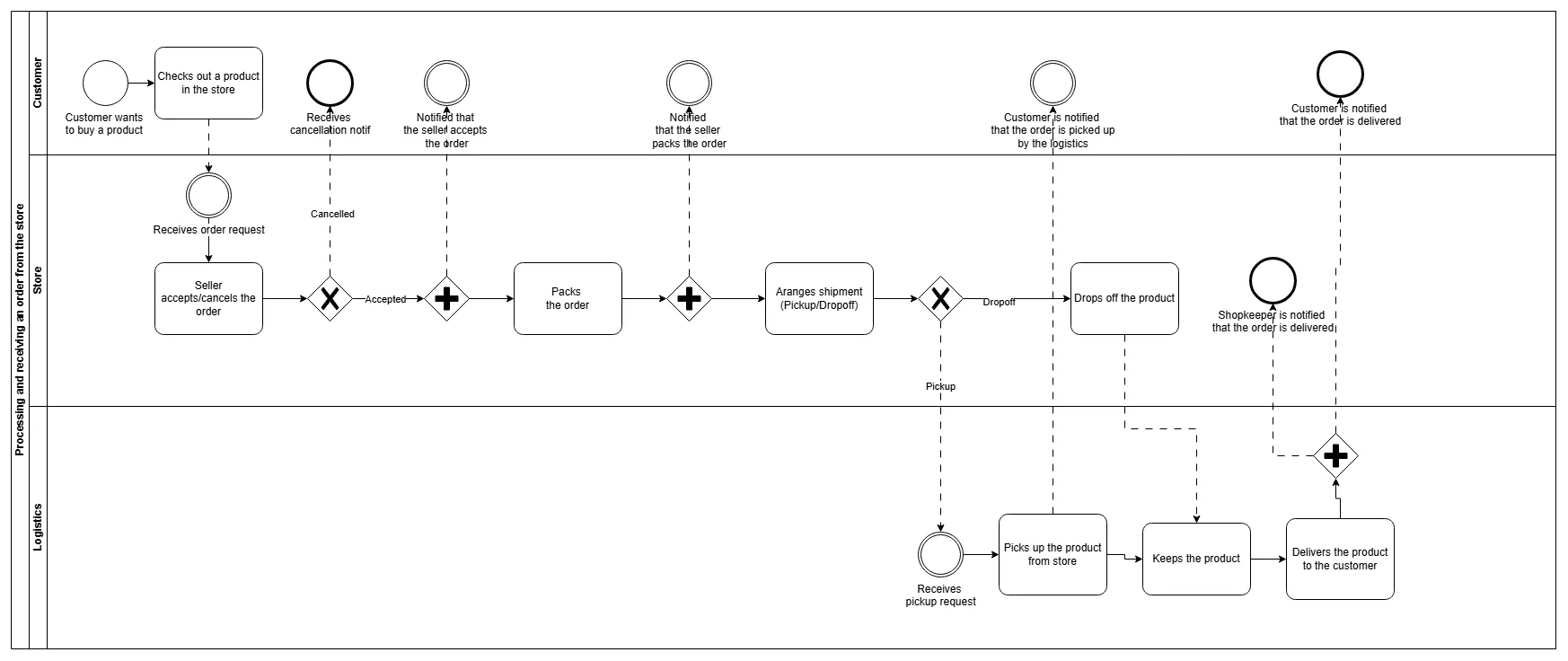
BPMN, or what I call the "General Business Process" in my workflow, is what I use for visualizing the general flow and introductory planning of the system, its implementation, and architecture.
Before I proceed with feature inclusion and development, I first need to know which processes, events, decisions, features, and considerations I might need to address and implement.
This is my way of tracking those considerations, recording priorities for features to add to the product backlog, and analyzing what the dependencies and technologies might be.
Sample: General Business Processes
II. Flowchart
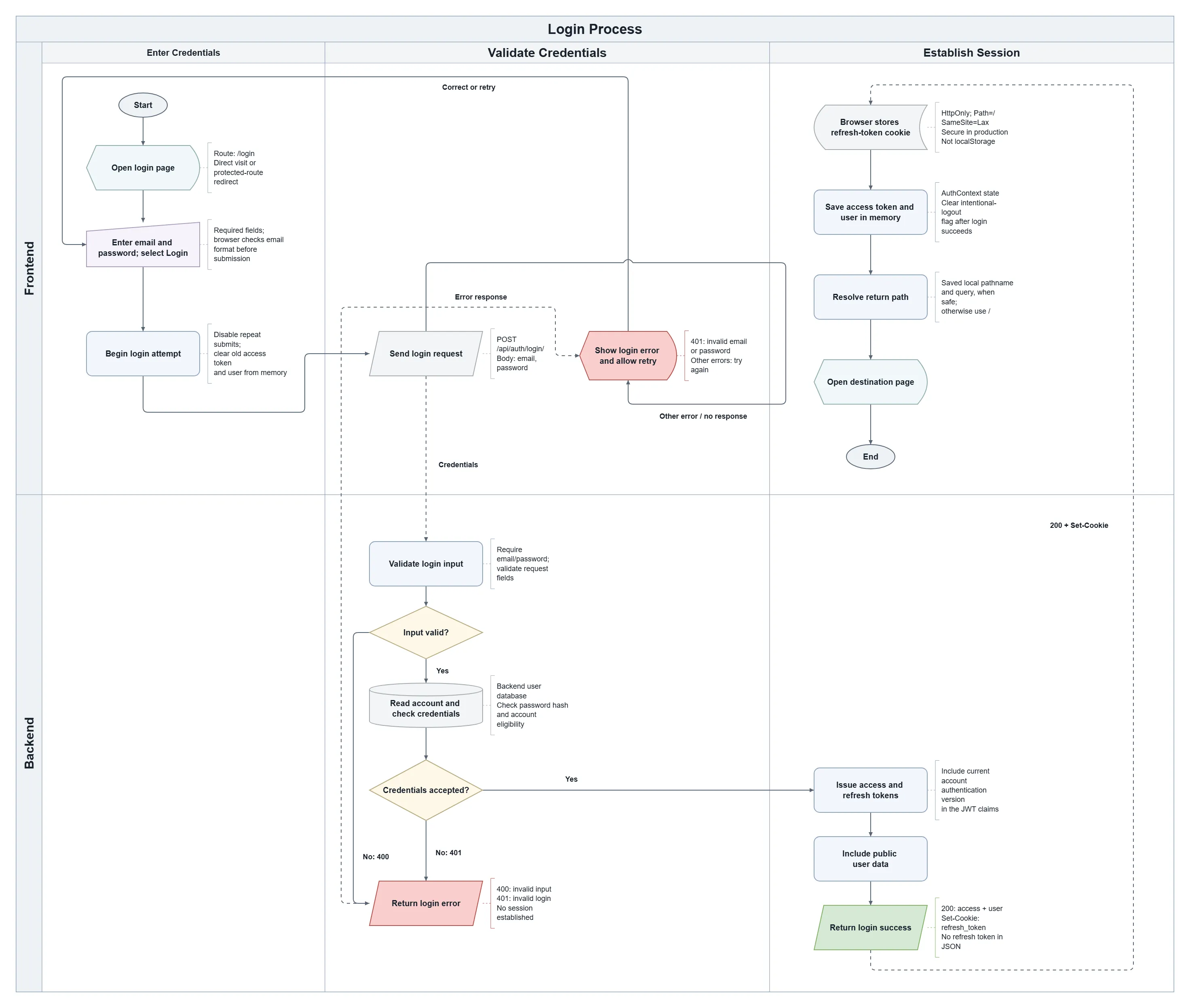
I call it the "Specific Business Process" in my workflow because it generally helps me visualize the specific technical processes within a feature, e.g., "user input, database write."
Sample: Specific Business Processes
III. Class Diagram
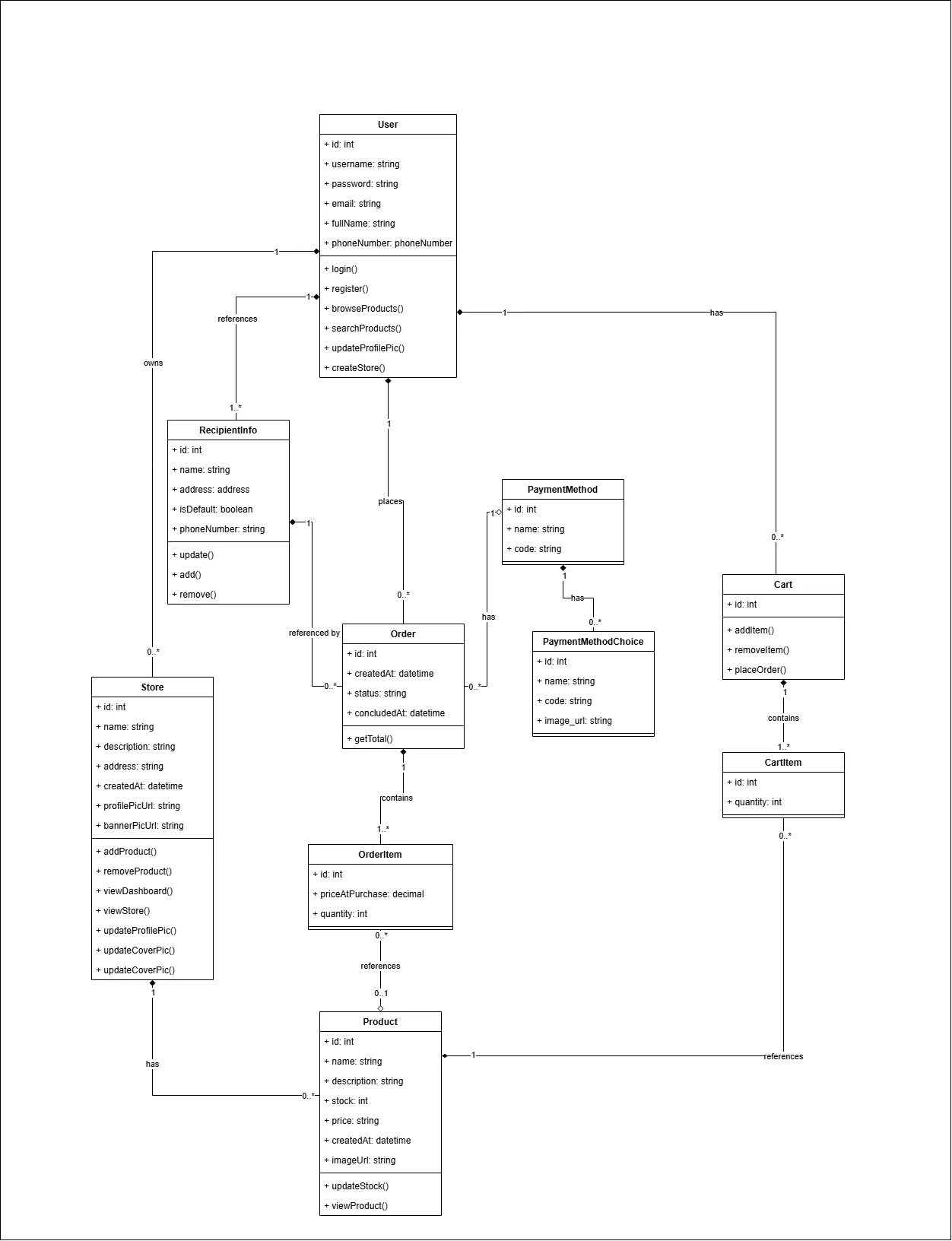
It's part of my planning process where I visualize the elements or entities that the system would have, such as classes, their attributes, methods, and relationships, as well as the actions each might need to perform. This serves as a guide for implementation.
Sample: Class Diagrams
IV. Entity Relationship Diagram (ERD)
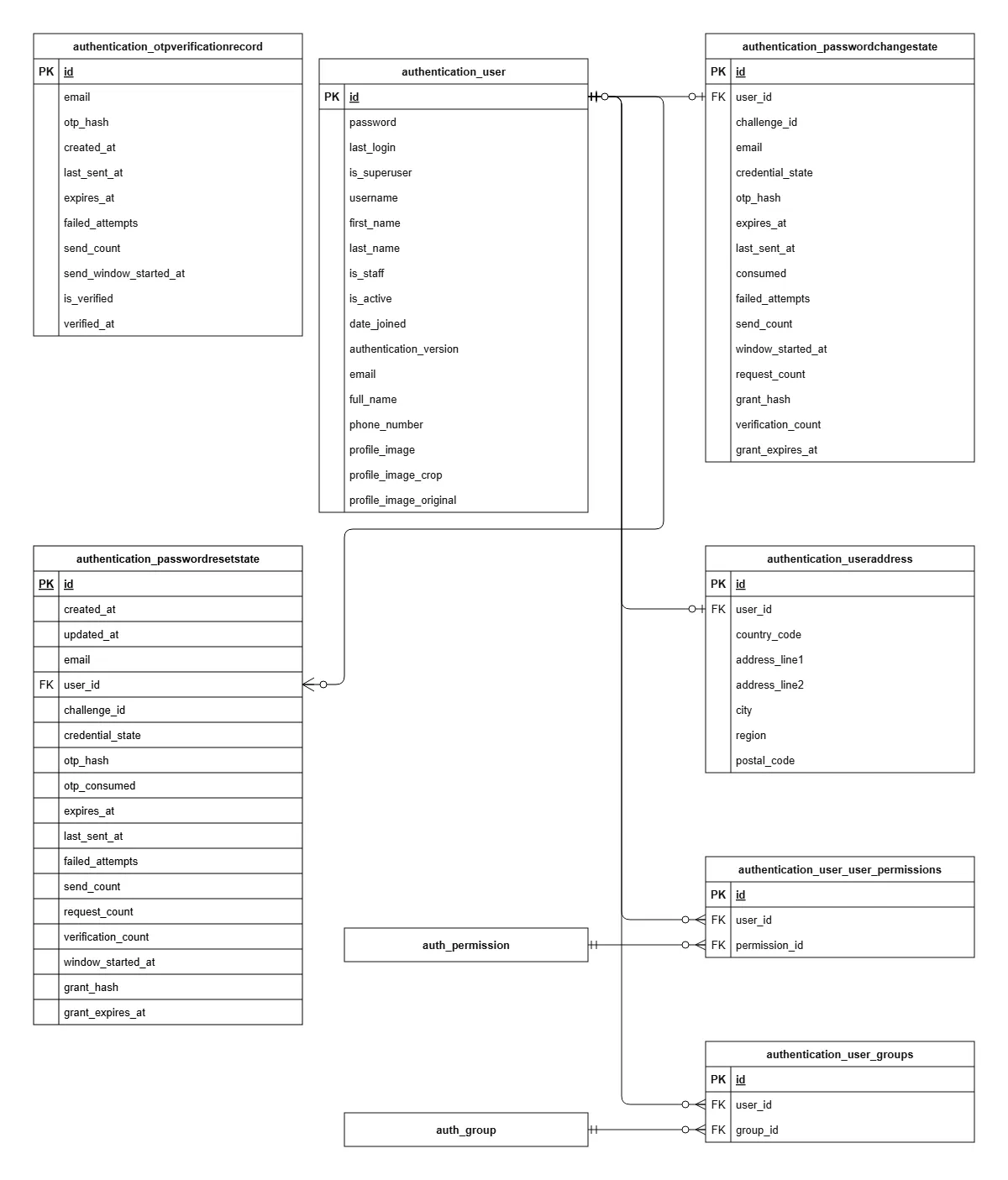
This is what I use when I want to visualize the database structure and assess potential gaps in a feature implementation.
I think ERD planning is also important. We don't want to implement features that don't align with our existing database structure and relationships. Planning it is a must.
Sample: Entity Relationship Diagrams
Containerization
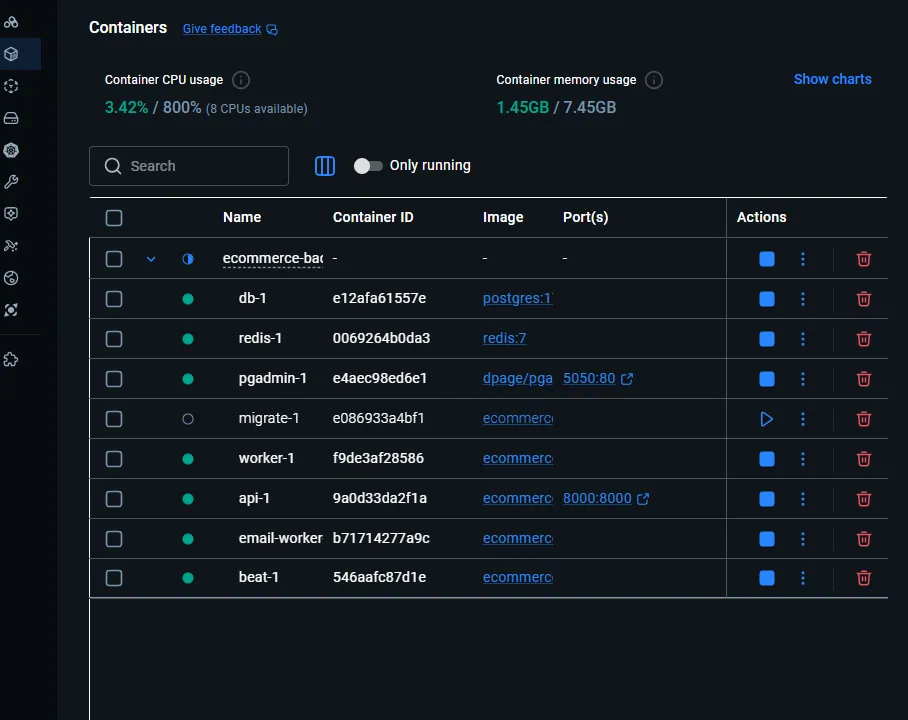
I have implemented containerization in both my development and production environments using Docker Compose. It helped me set up multiple stacks and services in my backend consistently.
I started learning and implementing containerization during my OJT days and brought this workflow into the development of this E-Commerce application because I saw how much it contributed to maintaining a consistent environment for the multiple services I have in the backend.
It has also helped me deploy and run multiple services with a single command, reducing the time and effort required to run services independently while also minimizing potential misconfigurations.
These are the technical documents I created to explain how I implemented containerization:
Asynchronous/Background Tasks
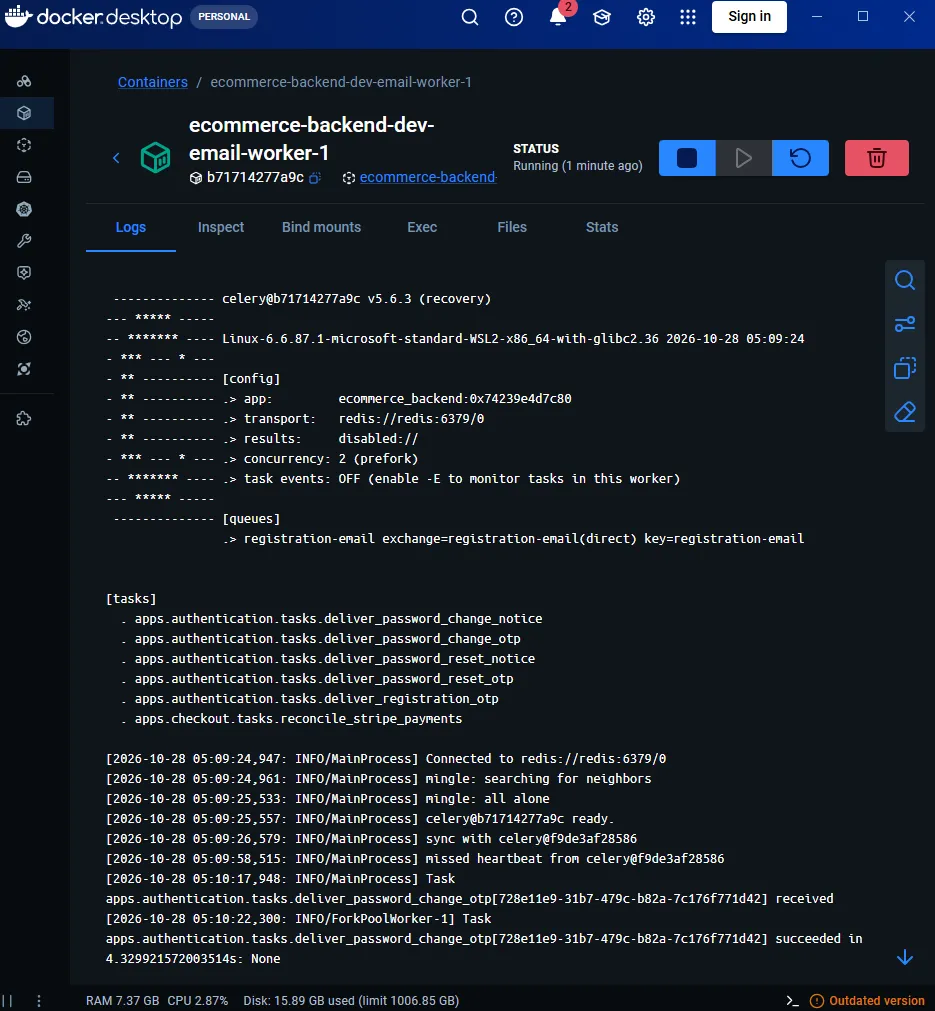
During testing and development, I observed an inefficiency problem regarding how the API manages certain processes. Each API request has to be handled by the API server itself or one of its Django workers.
But imagine the inefficiency it could cause when multiple users make requests to an API that sends emails to their accounts. In that example, Django workers would need to process and handle each request, waiting for the email-sending process to finish before completing the response. Since each worker has a limited capacity to handle concurrent requests, having multiple workers occupied by email-sending processes could eventually affect how quickly the API responds to other requests.
Email sending takes time, and if multiple workers are occupied waiting for emails to be sent, the system could take more and more time to respond as the number of requests increases. This becomes a problem in terms of scalability.
I saw this technology implementation back during my OJT and was amazed by how the developers there orchestrates it. I brought that technology into my E-Commerce application because I realized its advantages and contributions as the system grows.
I think considering this early helps the system accommodate increasing workloads and be better prepared for potential scalability challenges.
The main framework I used for this implementation is Celery. Instead of making Django workers wait for certain time-consuming tasks to finish, these tasks can be delegated to Celery workers for background execution, allowing Django to respond to requests without waiting for those tasks to complete.
In this setup, I use Celery workers as the task executors, Celery Beat as the scheduler for periodic tasks, and Redis as the message broker that holds queued tasks for Celery workers to retrieve and execute.
Integration with Existing Tools and Frameworks
As long as I can, and integration with existing tools is possible, I would rather not reinvent the wheel.
These are some of the tools, frameworks, and APIs I integrated into my E-Commerce system:
- Product Taxonomy (Shopify) – I used Shopify's product taxonomy and category structure and integrated it into the product records so the application could support category-based filtering.
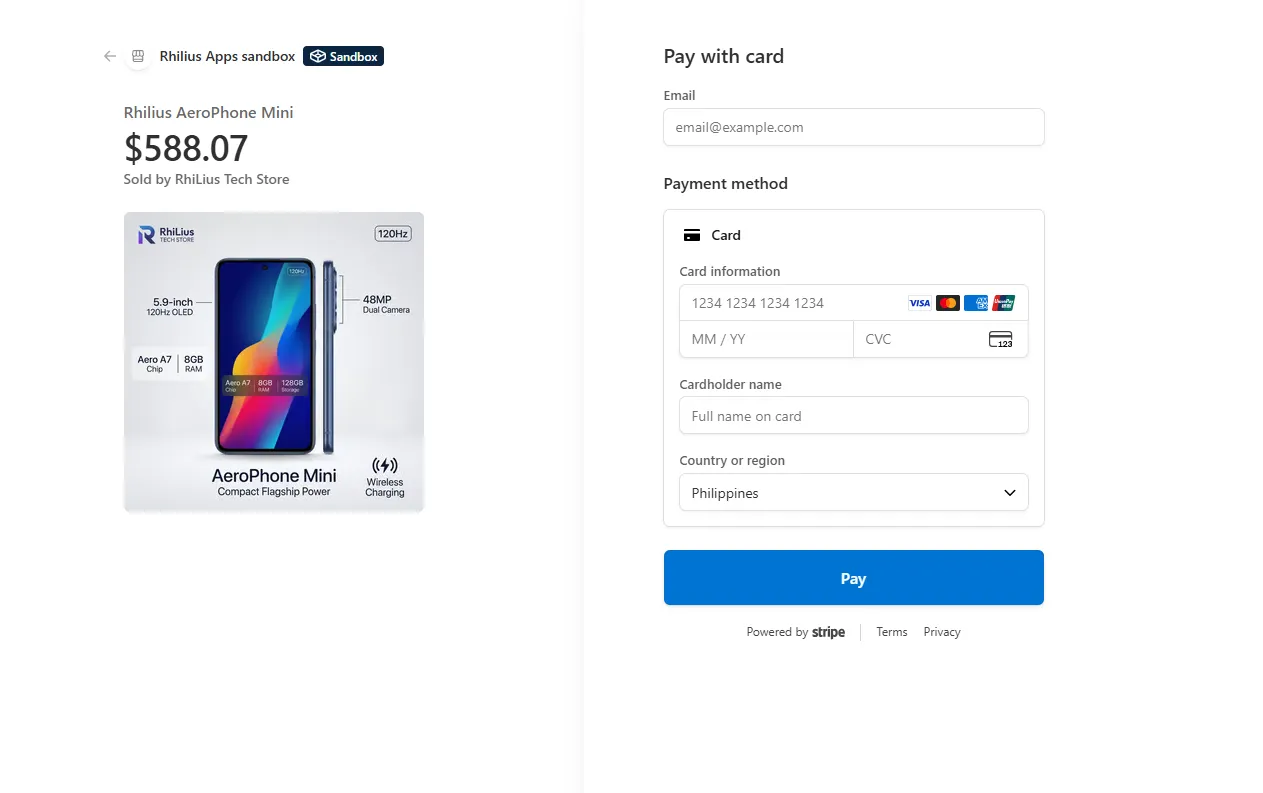
- Payment Platform (Stripe) – I used Stripe's test environment to integrate card payment functionality into the application, allowing me to implement and test card payments without processing real transactions.
- Currency (Frankfurter API) – I used the Frankfurter currency API to support multi-currency functionality, allowing users and stores to work with different currencies and supporting currency conversion during cross-currency transactions.
- Django Simple JWT – This is the library I use for JWT-based authentication. I customized and configured its default settings to integrate it with my custom user model and implement refresh token rotation and blacklisting.
Project Management
This development journey has also taught me lessons about project management. I have learned about the importance of doing the planning as the first step before doing the actual coding. With planning we mean about deciding and asserting priorities, documenting features in with a well known standard that really works without inventing. It has helped me to make and define clear features that I will implement without ambiguity and inconsistency and knowing what the system and users need to have asap (taking priorities).
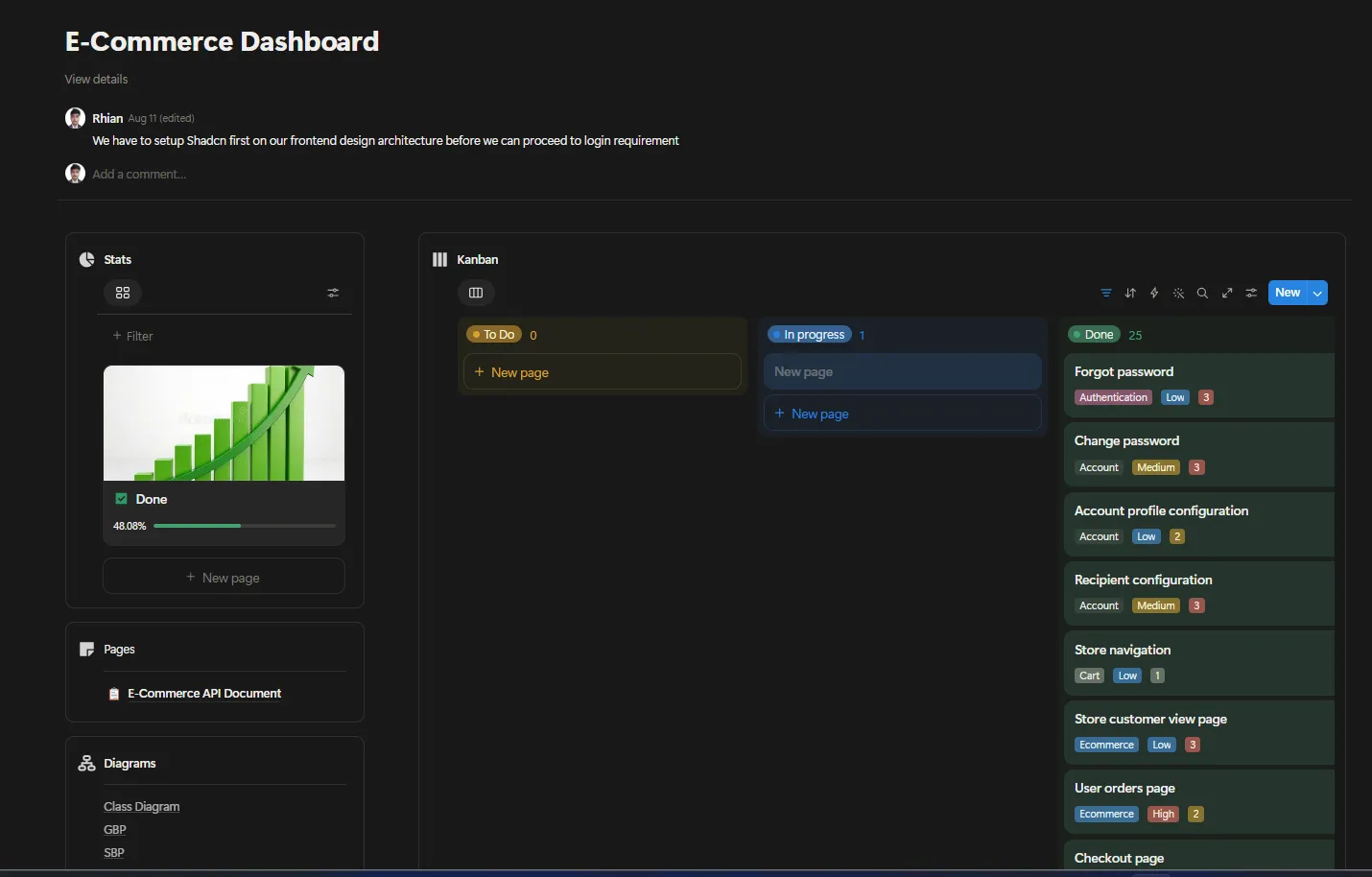
Finding the framework was the first step I had made. Teams were using agile scrum and it was taught in my school. I once tried to implement it but I realized how complex and unmaintainable it is for just a project with only a single maintainer is associated. What fits for me is a simple kanban, and a table of product backlog containing features. Features also are defined with clarity following the “As a user..” format for the description and “given when then” for the acceptance criteria which I learned from the scrum course. This makes sure that we would compile the needed features in a testable and clear manner eliminating ambiguity.
This chapter has also thought me about being flexibile. Not everyting we have planned will happen as planned, there are uncertainties and that’s normal. Adjustment is also one of the most important things I learned about project management and developing systems as well.
This is the notion dashboard page I created and used to track features and the project:
E-Commerce Dashboard
I’m currently planning to integrate my project management workflow with Github Issues and Github Project.
Development Worklow
My development workflow generally follows these steps, although we also need to be flexible depending on scenarios because basically implementations vary.
- Initial Planning- I would start by analyzing the feature, understanding it with clarity, checking the gaps
- Architecture, Diagramming, Prototyping- I would try to draft the business process flow first with flowchart. Alongside technical diagramming, I would also prefer to see the page in actual by creating wireframes or prototypes.
- API Contract - This makes sure that I have a grounded contract across backend and frontend consistently before implementation
- Review/Approve/Commitment - If, for example I utilize an AI agent for suggestion and recommendation, the next thing is I would review it, approve or reject for revision.
- Implement backend (api views, models, test, docs) - Then I would just start coding and implementing the backend
- Implement frontend (UI, Backend Implementation) - When the backend and APIs are already in-place, I would then do the frontend based on the prototype and contract
- Review and test - Although unit tests and integration tests are part of the implementation and workflow I’ve set with the AI Agent, I would still check these and do manual tests.
- Approve and Ship- Once I’m confident, then I think it’s time to commit to it. I would create a pull request, merge them to main branch., and deploy the feature following my automated Github Actions workflow
This has been a great project. I wanna thanks myself for not giving up and trying to be consistent even at the hardest times. It’s just the beginning and I’m so excited on the next ones .